Transform API responses
Select nested records and transform API response fields.
Transform a response when its structure does not match the fields your component needs. Test the original request first, then compare the transformed output.
Example response
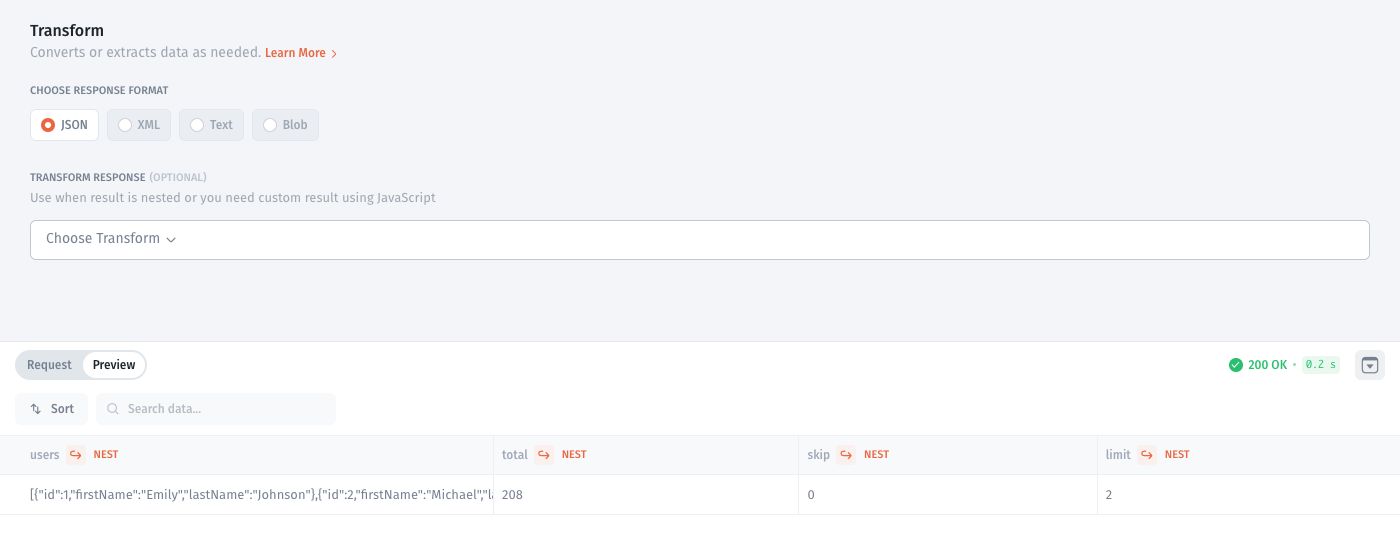
This guide uses the public DummyJSON Users API. With the base URL https://dummyjson.com, send a GET request to /users?limit=2&select=id,firstName,lastName.
The response contains a users array alongside pagination metadata. The records used below are:
{
"users": [
{"id": 1, "firstName": "Emily", "lastName": "Johnson"},
{"id": 2, "firstName": "Michael", "lastName": "Williams"}
]
}
Select the response root
Open Transform.
In the preview, open NEST on the users column and choose Nested data as result.
Check that the response root shows Top Level → users and that the preview contains two rows.

Transform fields with JavaScript
As an alternative to selecting the nested array, use a JavaScript transform on the original response object. The variable data contains the response.
Open Transform → JavaScript transform.
Enter this code:
Run Test Request and inspect the output:

Test an empty list:
{"users":[]}should return[].Save after the preview matches the fields your component needs.
This code expects the original object with a users array. If you already selected that array as the root, inspect the value passed to the transformation and adjust the code accordingly.
The existing walkthrough below demonstrates another field-mapping example.
If the API returns an error or a different shape, resolve that before mapping fields. See Handle API errors.
Last updated
Was this helpful?